What Are Automations?
An automation is a managed AI agent that works inside your MSP stack. You give it a job description (a system prompt), a specific set of tools it may use, and a trigger that tells it when to run.…
Written By Christopher Scaminaci
Last updated 3 days ago
An automation is a managed AI agent that works inside your MSP stack. You give it a job description (a system prompt), a specific set of tools it may use, and a trigger that tells it when to run. StackJack then hosts and operates the agent for you, so you do not have to manage API keys, servers, or model plumbing yourself. Owners on an Enterprise connector plan or a flat-fee Agent Runner plan can optionally supply an Anthropic key for execution through BYOK — and if it was the Agent Runner plan that qualified them, runs pause when that plan ends rather than reverting to credits.
Automations are generally available and enabled by default for current StackJack tenants. There is no enrollment request or tenant-side opt-in step. StackJack can turn Automations off for a workspace; see Automation Availability if the Automations area is missing.
Each automation is powered by Claude, Anthropic's AI model family. When an automation runs, the agent reads its instructions, calls the MSP tools its policy exposes (through MCP — the Model Context Protocol, the open standard AI assistants use to call external tools), and works the task to completion. You can watch runs live, request their Anthropic transcript while that remote session remains available, stop a running execution, or cancel one that is waiting for an execution slot.
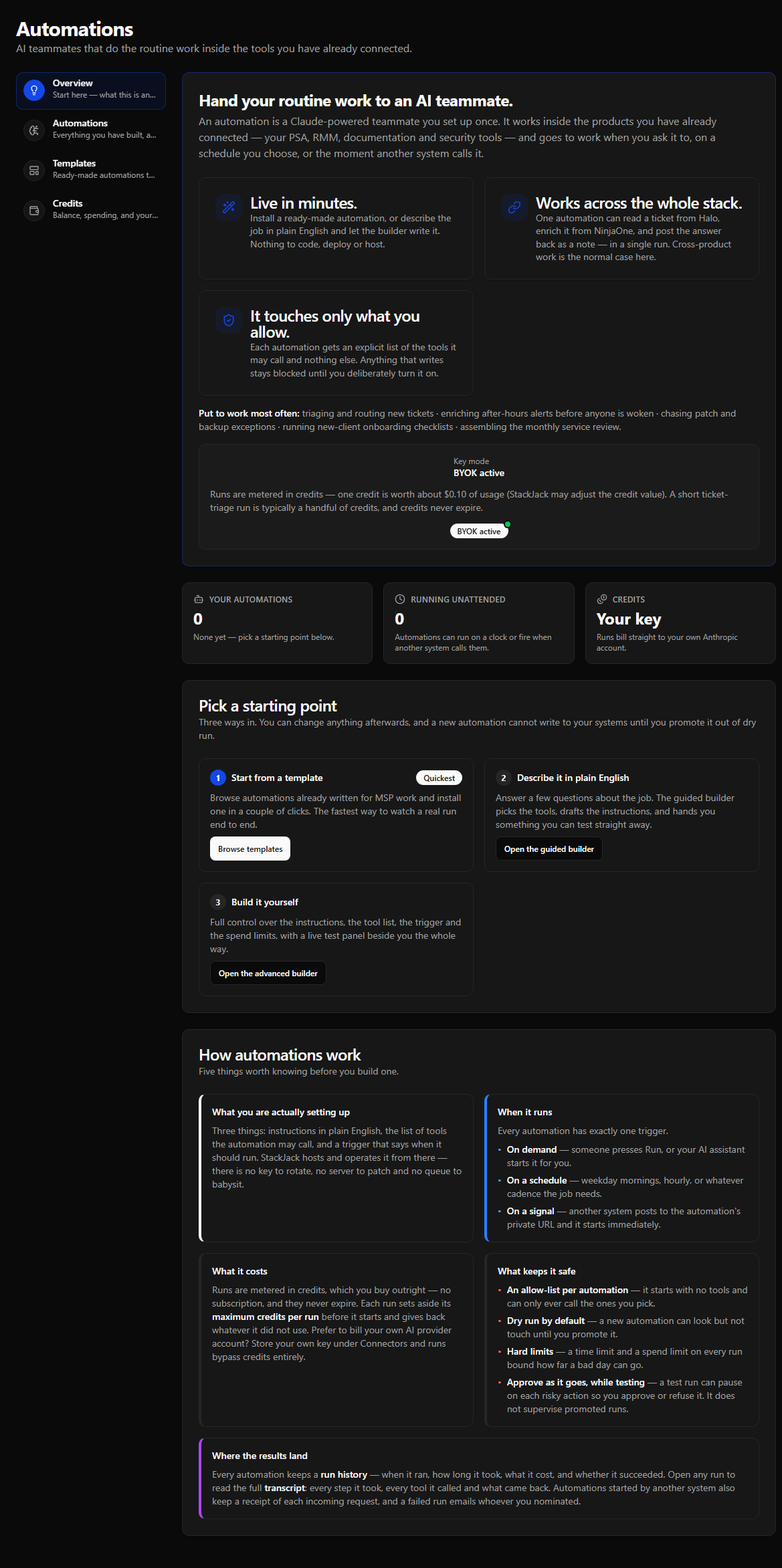
What an automation is made of
The three triggers
Every automation has exactly one trigger type:
- On demand — you click Run now in the portal, or — if you have turned on the automation's Expose to external AI harness option (off by default, available on every trigger type) — your connected AI assistant starts it through StackJack's MCP tools.
- Scheduled — the automation runs automatically on a cron schedule (for example, weekdays at 9:00 in your timezone).
- Webhook — the automation runs when an external system (your PSA, RMM, an alerting platform, Zapier, and so on) POSTs to the automation's unique webhook URL, optionally passing payload data to the agent.
If execution capacity is busy, eligible on-demand, scheduled, and webhook triggers are saved to a durable queue instead of being dropped. Your organization has its own ceiling on runs in flight at once — separate from the shared platform pool, and set by your Agent Runner plan if you have one; see Concurrency, Slots, and the Run Queue. By default, a second run of the same automation also waits rather than overlapping the first. See Triggers and Execution Guarantees for the complete queue, expiry, overlap, and recovery contract.
What runs cost: credits
Automation runs are metered in credits. Credits abstract Anthropic's token and runtime billing into simple dollars:
- 1 credit = $0.10 of usage today. This conversion is set by StackJack and can be adjusted over time.
- Before each run starts, StackJack reserves up to the automation's Max credits per run cap. When the run finishes, actual usage is calculated and the unused portion of the reservation is refunded.
- Credits never expire, and credit purchases are one-time — there is no subscription for credits. Current credit pack pricing is shown in the portal on the Credits tab.
- Bring your own key (BYOK): accounts on an Enterprise connector plan or a flat-fee Agent Runner plan can store their own Anthropic API key. Runs then bill directly to your Anthropic account and consume zero StackJack credits. If a flat-fee Agent Runner plan is the reason you could enrol a key, runs pause rather than falling back to credits when that plan ends — see BYOK.
You buy credits and review your balance and transaction history on the Credits tab of the Automations page.
Available models
Every automation uses one of eight Claude models. Opus 5 is the default. The dollar signs are relative cost tiers, not prices — you pay in credits based on actual usage.
Model choice is not plan-gated — every model is selectable on any plan that has Automations enabled. The plan you're on affects your credit balance and tool catalog, not which model you may pick.
Sonnet 5 bills at a lower credit rate than Sonnet 4.6 (about a third less per token) while also bringing more of Opus's reasoning depth, so it is the better pick on both counts unless you have a specific reason to stay on 4.6. Sonnet 5.5 bills at the same credit rate as Sonnet 5. (Both show $$ because the dollar signs are coarse tiers, not exact rates.) A model that is later retired keeps running and billing on existing automations until you switch it to a current one.
The safety model
Automations act autonomously against your production MSP tools, so several guardrails are built in and cannot be skipped:
- Explicit consent. Every way of creating an automation — wizard, builder, or template install — requires you to explicitly acknowledge that the agent will run autonomously on your behalf. An automation without accepted consent cannot run.
- Explicit tool policy. Safe-default allow-list mode starts from zero connector tools and exposes only what you select. Advanced deny-list mode exposes the tenant's live entitled and credentialed catalog except your exclusions, so it can expand as entitlements change. StackJack re-validates either policy on every save.
- Dry-run first. New automations default to dry-run mode: the agent can still see write-capable tools, but write attempts are blocked before the connector and recorded as “would have called.” A Curated template — one StackJack publishes — can set its own starting value, so installing one may open with dry run already off, and the install step says so when it does. Every other route to a new automation starts in dry-run mode — see Using Automation Templates. The one exception to that write block is a destructive call you personally approve in a supervised test run — approving executes it for real against your live systems, and it still needs the automation's destructive-action acknowledgment to get through. You enable ordinary write execution with an explicit Promote to Production action once you have tested the automation.
- Runtime and spend caps. Each automation has a Max runtime (30–3,600 seconds, default 300) and a Max credits per run (0.01–500, default 50). On StackJack-managed credentials, a run that reaches the credit cap is stopped at once, with no wrap-up turn. The credits the run used are charged, including the model turn that crossed the cap, so a run usually settles slightly above it. If the platform restarts while a run is in progress, the run can go further past the cap before the check resumes, and it is charged for the credits it used. BYOK runs skip StackJack credit metering, so use the runtime cap to bound their Anthropic cost — and if a flat-fee Agent Runner plan is what allowed the key, runs pause rather than reverting to credits when that plan ends.
- Bounded network access. By default a run can only reach StackJack's MCP server, not the open internet. The builder's Outbound network access setting (Guardrails & Deploy) can change that per automation — No network access, Only the hosts I list (up to 50 hostnames), or Unrestricted — and its StackJack tools keep working in every option. Anthropic's native web tools are a separate opt-in.
Tool approvals: supervised tests only
The approval flow is a supervised test run: an automation with Live approval in test runs enabled and dry-run mode on pauses on each destructive tool call, so you can approve or deny it from the run detail page. Approving executes that tool for real against your live systems — a supervised test run is still a test run, but the approved call is not simulated. A destructive tool additionally requires this automation's destructive-action acknowledgment; without it, StackJack still blocks the call after you approve it. Denying it, or letting the deadline pass, leaves it unexecuted and recorded as “would have called” — and a deny can give the agent a reason. Read and ordinary write tools are not paused, so they never reach this decision and always follow ordinary dry-run rules. Approving also needs a free execution slot: at your organization's concurrency ceiling the decision is refused and the run stays paused — see Paused runs and tool approvals. An unanswered approval reaches its deadline after 60 minutes; StackJack ends and settles the run only after confirming the provider session stopped. If that confirmation is uncertain, the run remains Awaiting input while cleanup retries.
Production runs do not pause for approval. The Ask for approval again on production runs setting is saved with the automation, but production pausing is not available yet. A run that reaches an approval it is not eligible to pause for ends as Failed instead of waiting indefinitely.
Where to see results
Every automation keeps a run history showing when each run started, what triggered it, its status, and the credits and tokens it used. Opening a run shows full timing and usage detail, and from a run that reached Anthropic you can fetch the full transcript — the complete conversation including every tool call and result — on demand.
Anthropic preserves that full session transcript, which can contain customer data from tool calls. StackJack does not copy the complete conversation or full tool-result bodies into its database in your region, but it retains more than run totals: the filtered trigger payload, Anthropic session id and key provenance, summary and error text, usage and cost, and any pending approval-tool input. When a run ends, StackJack also stores a limited record of its tool calls, including call order, name, bounded input arguments, classification, status, and timing when available. Some runs that end early have no such record until their tool calls are requested. Assistant/user conversation text, thinking blocks, and tool-result bodies are not part of this durable projection.
Four ways to build one
- Install a template — browse curated, ready-made automations and install one in seconds. The fastest way to see a real run. See Using Automation Templates.
- Guided wizard — chat with an AI wizard that interviews you until it has enough to build the automation for you. See Creating an Automation with the Guided Wizard.
- Advanced builder — a five-section builder with full control over knowledge, tool policy, and guardrails, plus a live test panel. See Creating an Automation with the Advanced Builder.
- Your own AI assistant — build and maintain an automation from the assistant you already have connected to StackJack, through its MCP tools. It reaches everything the advanced builder reaches, under your own permissions. See Building and Maintaining Automations from Your AI Assistant.
Still need help? Ask the team